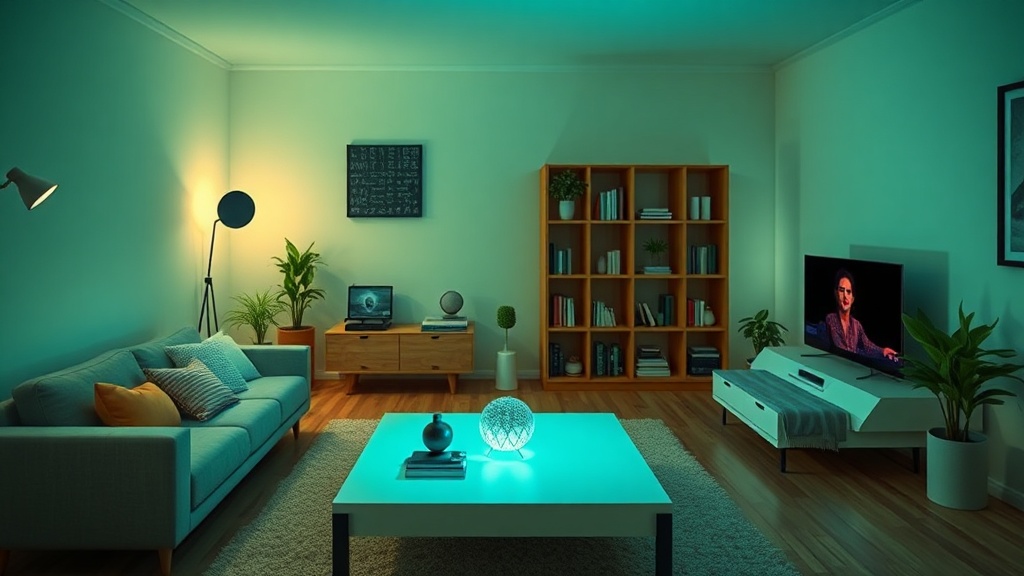
How to Build a Minimalist Smart Home Ecosystem from Scratch

I spent fifteen years in logistics management, where "efficiency" isn't a buzzword—it’s a survival metric. In a warehouse, if you have ten different software platforms that don't talk to each other, you don't have a "smart" facility; you have a chaotic, expensive mess. The same problem is currently plaguing the consumer smart home market.
Walk into any big-box retailer today and you’ll see a sea of colorful boxes promising "seamless integration." But if you actually read the fine print, you’ll find that the smart lightbulb from Brand A refuses to play nice with the smart plug from Brand B, and the voice assistant from Brand C is essentially a walled garden. You end up with a dozen different apps on your phone, a dozen different subscription fees, and a home that feels more like a digital junkyble than a streamlined living space.
The goal of a minimalist smart home isn't to own the most gadgets. It’s to own the fewest number of devices that provide the highest level of automated utility. We want to move away from "remote control via phone" (which is just a fancy way of saying you're doing manual labor with more steps) and toward true automation. Before you buy a single sensor, you need a strategy. So, let's get to work.
Step 1: Define Your Infrastructure (The "Brain" Problem)
The biggest mistake beginners make is buying devices one by one without a central command structure. This is how you end up with "App Fatigue." To build a minimalist system, you need to decide on your ecosystem immediately. You have three primary paths:
- The Walled Gardens (Apple HomeKit, Google Home, Amazon Alexa): These are the easiest to set up. They are consumer-friendly and highly polished. However, they are restrictive. If a device isn't "certified" for their specific ecosystem, it’s a paperweight.
- The Open Source Route (Home Assistant, Hubitat): This is for the person who wants total control. It requires a steeper learning curve and a bit of technical tinkering, but it allows you to mix and match hardware from any manufacturer. It is the "logistics professional's" choice because it prioritizes interoperability over brand loyalty.
- The Matter Standard: This is the new industry standard designed to solve the fragmentation problem. If you are starting from scratch in 2026, only buy devices that are Matter-compatible. This ensures that your hardware can communicate across different platforms, future-proofing your investment.
My advice? If you aren't a coder, stick to a robust hub like an Apple HomePod or a high-end Amazon Echo, but ensure every peripheral you buy supports Matter or Thread. This ensures your network remains stable and doesn't clog your Wi-Fi bandwidth.
Step 2: Prioritize High-Impact Automations
A smart home is only "smart" if it performs tasks without you asking. If you have to pull out your phone to turn on a light, you’ve failed. We want to focus on three core categories: Environment, Security, and Utility. Don't buy a smart toaster; buy things that solve recurring friction points.
1. Lighting and Circadian Rhythm
Lighting is the most impactful change you can make. Instead of smart bulbs that you turn on and off, look for smart switches. Replacing the switch means the automation works even if someone uses the manual button. I highly recommend investing in lighting that adjusts color temperature throughout the day. This isn't just about aesthetics; it’s about biology. Syncing your indoor light to the natural cycle of the sun is a key part of aligning your lifestyle with your circadian rhythm, which improves sleep quality and general well-being.
2. Climate and Air Quality
Heating and cooling are your biggest utility expenses. A smart thermostat is a non-negotiable. However, to make it truly effective, you need sensors in the rooms where you actually spend time, not just in the hallway. If you are an urban dweller, you might also want to monitor indoor air quality. Much like the advice found in an allergy survival guide, monitoring particulate matter and humidity can help you manage your environment proactively rather than reactively.
3. Security and Entry
A smart lock and a video doorbell are the foundation. But avoid the "subscription trap" where you have to pay $10 a month just to see a recorded clip of your package being delivered. Look for local storage options. In the logistics world, we value data sovereignty; you should too. Your home security data should live on your hardware, not in a nebulous cloud controlled by a corporation.
Step 3: The Hardware Selection Process
When you are shopping for components, apply the "So What?" test. If a device doesn't automate a repetitive task or provide critical data, leave it on the shelf. Here is my checklist for vetting new hardware:
- Does it require a proprietary hub? If yes, skip it. You don't want a "hub graveyard" in your utility closet.
- Is it battery-operated or hardwired? For high-use items like light switches, hardwired is always superior. For sensors, ensure the battery life is rated for at least two years.
- Does it have a local API? This is a technical detail, but crucial. A local API means the device can be controlled by your home network directly, even if your internet goes down. If your "smart" house becomes "dumb" every time the ISP has an outage, you've bought a liability, not an asset.
If you enjoy the granular control of hardware—the kind of satisfaction you get when building a custom mechanical keyboard from scratch—then you will likely enjoy the setup of a Home Assistant-based system. It offers a level of tactile, technical satisfaction that consumer-grade "plug-and-play" systems simply cannot match.
Step 4: Implementation and Scaling
Do not attempt to automate your entire house in a single weekend. You will encounter bugs, connectivity drops, and frustration. Instead, follow a phased rollout. I recommend starting with a single room—usually the kitchen or the primary bedroom—to test your ecosystem's stability.
Phase 1: The Foundation. Install your central hub and your primary smart switches. Ensure your Wi-Fi mesh network is strong enough to reach the furthest corners of your home. If you live in a smaller space, such as an apartment, you might even consider how your tech integrates with your urban balcony garden, perhaps using smart irrigation timers to keep your plants alive while you're at work.
Phase 2: The Sensory Layer. Add motion sensors, contact sensors (for doors and windows), and temperature sensors. This is where the "intelligence" happens. A motion sensor in the hallway that dims the lights to 10% at 3:00 AM is a feature; a light that blazes at 100% when you get up for a glass of water is a nuisance.
Phase 3: The Refinement. Once your sensors and switches are communicating flawlessly, add the "luxury" items: smart blinds, smart appliances, or automated irrigation. By this point, your system is a cohesive unit rather than a collection of disparate gadgets.
The Bottom Line
A minimalist smart home is not about showing off your tech to guests. It is about reducing the cognitive load of running a household. It is about creating an environment that anticipates your needs and handles the mundane tasks of life in the background.
As you build, keep your eyes on the long-term utility. Every device you add should serve a purpose. If it doesn't save you time, reduce your stress, or lower your utility bill, it doesn't belong in your ecosystem. In the world of high-tech, sometimes the smartest move is to keep it simple.
Steps
- 1
Choose a Central Hub Protocol
- 2
Audit Your Existing Devices
- 3
Consolidate Control via a Single Interface
- 4
Set Up Basic Automations