Building a Minimalist Desk Setup for Deep Work

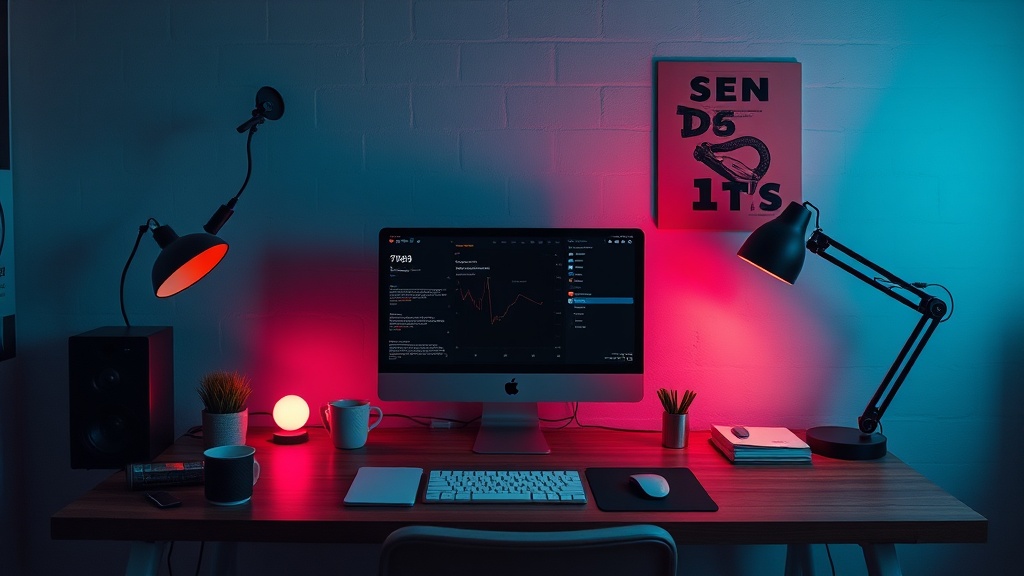
A single, matte-black mechanical keyboard sits on a wide, empty desk. There is no tangle of wires, no half-empty coffee mugs, and no stack of unread mail. Just the screen, the keys, and a single lamp casting a warm glow. This is the visual representation of deep work: a space designed to keep your brain from drifting toward the next distraction.
Most people think a "minimalist setup" is just about aesthetics or looking good on a social media feed. It isn't. A true minimalist desk is a functional tool designed to reduce cognitive load. If your peripheral vision is constantly catching a stray charging cable or a stack of paperwork, your brain is processing that visual noise. That noise eats your focus. This guide breaks down how to build a high-performance, low-distraction workstation by focusing on the hardware that actually moves the needle.
Why Does a Minimalist Desk Improve Focus?
A minimalist desk improves focus by removing the visual stimuli that trigger task-switching. When your environment is cluttered, your brain spends a fraction of its energy cataloging the mess rather than solving the problem in front of you. It’s a concept rooted in environmental psychology, where a controlled environment leads to better concentration.
I spent years in logistics, where a messy warehouse meant lost time and lost money. The same applies to your desk. If you can't find your mouse or you're constantly untangling a USB-C cable, you've broken your flow state. Once that flow is gone, it’s a pain to get back. You don't need more gadgets; you need fewer, better ones.
The goal isn't to own nothing. The goal is to own things that serve a specific purpose. If a device doesn't help you complete a task, it shouldn't be on your desk surface. This might mean moving your printer to a side table or hiding your external hard drives in a drawer.
The Core Hardware Components
When you're building this out, don't overthink the "premium" aspect. You don't need a $3,000 desk. You need a surface that is stable and a set of tools that work every single time you touch them. Here is the hierarchy of what actually matters:
- The Surface: A solid, non-reflective desk. Avoid glass; the glare is a nightmare for eye strain.
- The Input: A high-quality keyboard and mouse. This is where you spend 90% of your time.
- The Display: A single, high-resolution monitor. Dual monitors often lead to more distraction via "window switching."
- The Lighting: A single task lamp or a monitor light bar to reduce eye fatigue.
If you're a fan of tactile feedback, you might want to look into mechanical keyboards and the quest for the perfect typing experience. A good keyboard isn't just a luxury—it's a tool that makes the act of typing feel less like a chore and more like an extension of your thought process.
How Much Does a Minimalist Setup Cost?
A high-quality minimalist setup typically costs between $500 and $1,500 depending on whether you are upgrading existing gear or starting from scratch. You can certainly do it for less, but the "cheap" way often leads to the "annoying" way—think buzzing laptop fans or flickering cheap LED strips.
I've seen people spend a fortune on "smart" desk accessories that do nothing but add clutter. Before you buy anything, ask yourself if it actually saves you time or mental energy. If the answer is "it just looks cool," leave it in the cart. The most expensive part of a setup isn't the hardware; it's the time you lose to friction-heavy devices.
| Category | Budget Option | Pro Option | The "Why" |
|---|---|---|---|
| Input | Logitech Pebble | Keychron / MX Master 3S | Precision and tactile feedback. |
| Lighting | Basic Desk Lamp | BenQ ScreenBar | Reduces eye fatigue and desk footprint. |
| Cable Management | Velcro Ties | Under-desk Cable Tray | Removes visual noise from sight. |
Which Monitor Setup is Best for Deep Work?
A single ultra-wide monitor or a single 27-inch 4K monitor is generally superior to a dual-monitor setup for deep work. Multiple screens create more "real estate" for distractions—a Slack window on the left, an email inbox on the right. A single, large canvas forces you to be intentional about what you are actually working on.
If you find yourself squinting at small text, you might want to check out these E-Ink displays that save your eyes and focus. While they aren't great for high-speed video editing, they are fantastic for secondary tasks that require zero distraction. For most, though, a single high-quality IPS panel is the gold standard.
One thing to watch out for: refresh rates. A 60Hz monitor feels sluggish when you're in the zone. Moving to a 120Hz or 144Hz display makes the entire OS feel more responsive. It’s a small detail, but it reduces that micro-level frustration that builds up over an eight-hour day.
The Cable Problem: The Silent Productivity Killer
You can have the most expensive gear in the world, but if there are five black cables trailing across your desk, you haven't built a minimalist setup. You've just bought expensive clutter. Cable management is the most un-glamorous part of this process, but it's also the most impactful.
I recommend a three-step approach to cable management:
- Consolidate: Use a single Thunderbolt dock to connect your laptop to your monitor, keyboard, and peripherals. One cable into the laptop, and the mess stays hidden.
- Hide: Use an under-desk cable tray (like those from IKEA or specialized brands like Blue Lava) to keep power bricks off the floor.
- Label: If you have multiple devices, label the ends of the cables. It sounds overkill until you're unplugging the wrong thing in the middle of a deadline.
The goal is to make the technology invisible. You want to interact with your work, not with your hardware. If you're thinking about your cables, you aren't thinking about your project. That's a failure of the system.
The "One In, One Out" Rule
The biggest threat to a minimalist desk isn't what you buy—it's what you keep. Every time you add a new gadget (a new tablet, a specialized macro pad, a fancy DAC), you must remove something else or find a permanent home for it. If you don't, your desk will inevitably become a graveyard of "useful" tech that you only use once a month.
I've seen many professionals fall into the trap of buying "productivity" tools that actually create more work. A new app that requires constant configuration is not a tool; it's a distraction. Before you buy that new piece of gear, ask: "Does this solve a problem, or does it just add a new thing to manage?"
If you find yourself constantly interrupted by notifications, you might need to look at your digital environment as much as your physical one. A clean desk is useless if your screen is a mess of pop-ups and red notification dots. (Actually, if you're interested in how to manage those digital workflows, you might find setting up a practical AI workflow a more useful rabbit hole than buying another physical gadget.)
The desk is your cockpit. Keep it clean, keep it functional, and keep the noise out.