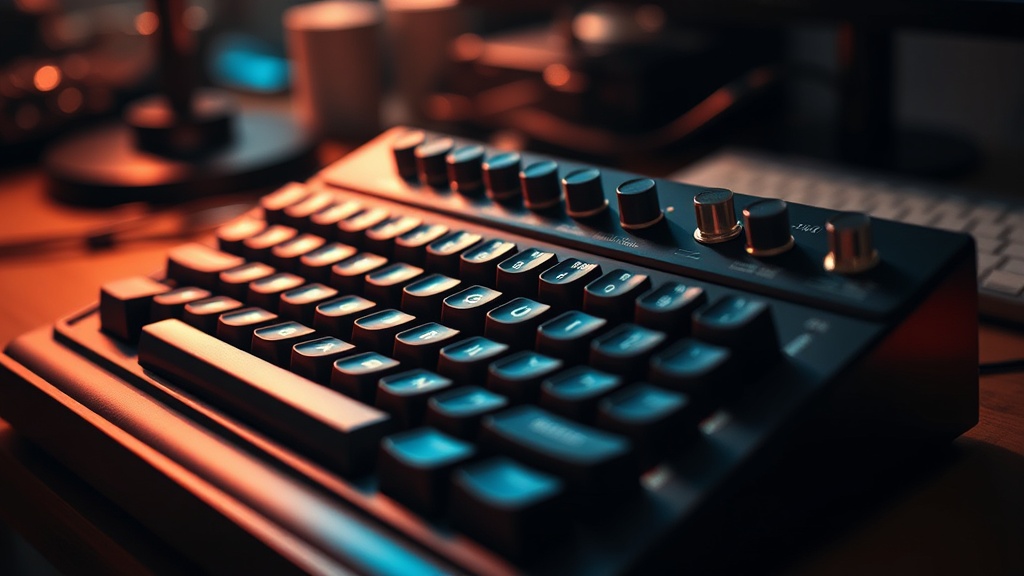
Mechanical Keyboards and the Quest for the Perfect Typing Experience

The sound of a standard membrane keyboard is a dull, mushy thud—a quiet death of tactile feedback. Then there is the mechanical alternative: a sharp, rhythmic clack that echoes through a room, a precise snap of plastic against metal that tells your brain exactly when a keystroke has been registered. This post examines the mechanics of high-end typing, the actual benefits of customization, and why the obsession with "switches" isn't just a hobbyist rabbit hole, but a legitimate upgrade for anyone spending eight hours a day at a desk.
Most people treat a keyboard like a hammer—a tool you grab, use, and put down without a second thought. But if you're a coder, a writer, or someone who relies on high-speed data entry, that tool is your primary interface with the digital world. When that interface is subpar, your productivity suffers. You feel it in your wrists; you see it in your error rates.
What Is the Difference Between Mechanical and Membrane Keyboards?
Mechanical keyboards use individual physical switches under every key, while membrane keyboards use a single rubber sheet that covers the entire board. This fundamental difference changes everything from durability to the actual sensation of typing.
A membrane keyboard—the kind that usually comes free with a desktop PC—relies on a pressure-sensitive rubber dome. You press down, the dome collapses, and a circuit is completed. It's cheap to make. It's also inconsistent. Over time, those rubber domes lose their springiness, leading to that "mushy" feeling that makes typing feel like wading through mud.
Mechanical switches, like the ones found in a Cherry MX or Gateron board, are built for longevity. Each key has its own dedicated spring and housing. This means the actuation point—the moment the computer recognizes the press—is consistent every single time. If you've ever wondered why mechanical keyboards are more durable, it's because you're looking at hundreds of individual, high-quality components rather than one flimsy piece of silicone.
From a logistics standpoint, it's a matter of reliability. In a warehouse or a high-volume data entry center, a tool that fails or behaves inconsistently is a liability. A mechanical board provides a predictable feedback loop. You know exactly what you're getting with every stroke.
The Three Main Switch Types
When you start looking at brands like Keychron or Ducky, you'll run into three primary categories of switches. Choosing the wrong one can make a $200 keyboard feel like a toy.
- Linear Switches: These have a smooth, consistent stroke from top to bottom with no bump. They are popular for gaming because they allow for rapid, uninterrupted key presses.
- Tactile Switches: These feature a noticeable "bump" in the middle of the press. This is the sweet spot for most typists because it provides physical confirmation that the key has been activated without needing to bottom out.
- Clicky Switches: These are the loud ones. They have the tactile bump, but they also add an audible "click" sound. They're great for feedback, but your coworkers might hate you.
How Much Does a High-End Mechanical Keyboard Cost?
A decent mechanical keyboard typically costs between $80 and $150, though enthusiast-grade custom boards can easily exceed $300. The price reflects the quality of the materials, the precision of the switches, and the build stability.
You can find "budget" mechanical boards on Amazon for $30, but be careful. Often, these use lower-tier switches that feel scratchy or inconsistent. It's a classic case of "buy cheap, buy twice." I've seen too many people try to save twenty bucks only to end up with a board that feels like a plastic toy after three months of heavy use.
| Tier | Price Range | Typical Experience |
|---|---|---|
| Entry-Level | $40 - $70 | Basic mechanical feel, plastic build, standard switches. |
| Mid-Range | $80 - $150 | Better stabilizers, aluminum frames, premium brands like Keychron. |
| Enthusiast | $250+ | Customizable weight, boutique switches, high-end acoustics. |
The real question isn't "can I afford this?" but "is the upgrade worth the friction?" If you're spending forty hours a week typing, a better keyboard is a direct investment in your comfort. It's like buying a better pair of work boots—it doesn't make the job easier, but it makes the physical toll of the job much more manageable.
Which Keyboard Layout is Best for Productivity?
The "best" layout depends entirely on your specific workflow and how much desk real estate you want to reclaim.
Most people default to a Full-Size layout (104 keys), which includes the number pad. It's fine if you live in Excel, but it's a massive footprint. If you're a programmer or a writer, you probably don't need a dedicated numpad sitting to your right. It pushes your mouse further away from your body, which can lead to shoulder strain over long sessions.
This is why the Tenkeyless (TKL) or the 75% layout has become the industry standard for many professionals. By removing the number pad, you bring your mouse closer to your center, which is a better ergonomic setup. It's a small change, but it's one of those things that makes a massive difference in long-term comfort.
Here is a quick breakdown of common layouts:
- Full Size (100%): Everything is there. Great for accounting or data entry.
- Tenkeyless (T2/80%): No number pad. The gold standard for a balance of utility and space.
- 75% Layout: Compact, keeps the function row, but much tighter. Great for minimalists.
- 60% Layout: Extremely compact. You lose the function row and arrow keys (usually relegated to a "layer"). This is for people who want a clean, aesthetic desk setup.
If you're already looking to optimize your setup, you might want to look at why you should stop using a standard mouse. A high-quality keyboard and a precision mouse are the two pillars of a high-output workstation.
One thing to watch out for: the "hype" of custom keyboards. There is a massive subculture dedicated to "lubing switches" and "modding cases" to get a specific sound. For 95% of people, this is unnecessary. You don't need to spend three hours with a tiny brush and specialized grease to have a good typing experience. Buy a solid, pre-built board from a reputable brand, and call it a day.
The goal is utility. If the keyboard works, it's doing its job. You don't need a $500 piece of art; you need a tool that doesn't get in your way. A solid mechanical board provides the tactile feedback that keeps you in the flow state, reducing the mental load of correcting typos and dealing with missed keystrokes.
Ultimately, the quest for the "perfect" keyboard is a bit of a trap. Perfection doesn't exist because your preferences change. One year you might want a heavy, clicky board that sounds like a typewriter; the next, you might want something silent and fast for late-night work. The key is to find a tool that matches your current reality—not a dream version of it.
Don't overthink the specs. Look for a brand that offers replaceable parts or hot-swappable switches. That way, if you decide you hate the way your current keys feel, you can just swap the switches rather than throwing the whole board in the trash. That's actual longevity.