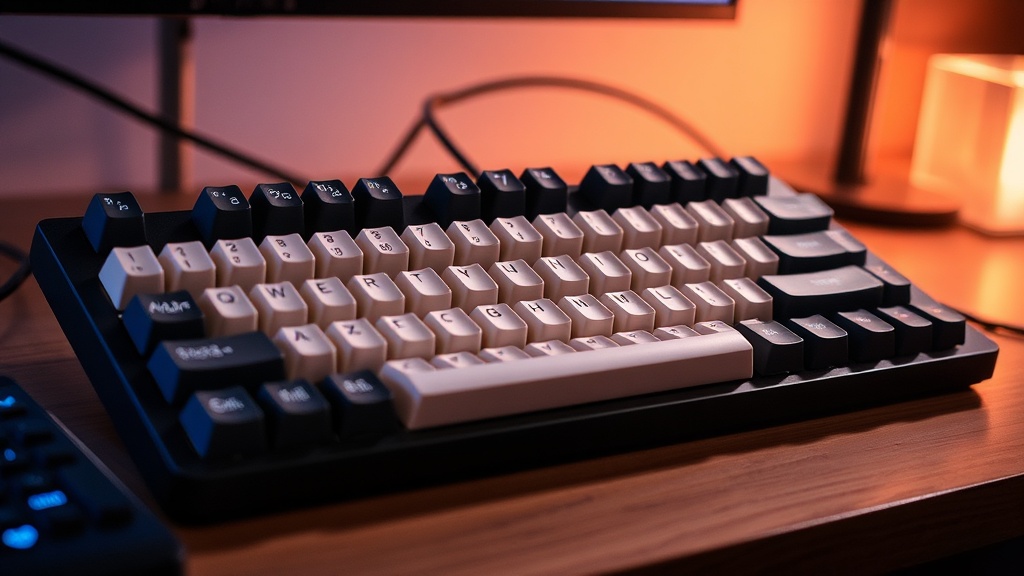
7 High-Quality Mechanical Keyboards for Every Typing Style

The Tactile Enthusiast's Choice
The Silent Professional's Essential
The Gamer's High-Speed Linear
The Budget-Friendly Entry Point
The Premium Custom Build Experience
The Compact Tenkeyless Favorite
The Ergonomic Specialist
You’re going to find seven specific mechanical keyboard recommendations tailored to different typing needs, ranging from heavy-duty coding to high-speed gaming. This list skips the flashy RGB marketing and focuses on build quality, switch feel, and long-term reliability. We're looking at how these tools actually perform under a heavy workload.
What Should You Look for in a Mechanical Keyboard?
The most important factor is the switch type, which dictates the tactile feedback and actuation force you feel under your fingers. Most people get distracted by the lights, but the switches—the actual mechanical parts under the keycaps—are what determine if your hands feel fatigued after four hours of typing. You'll encounter three main categories: linear (smooth), tactile (a bump you can feel), and clicky (audible and tactile).
Don't ignore the "hot-swappable" feature. If a single switch fails in a standard keyboard, you're often stuck with a paperweight. With a hot-swappable board, you can pull the broken part out and pop a new one in without a soldering iron. It's a small detail that saves a lot of headache (and money) down the road.
If you're looking to build a more efficient workstation, consider optimizing your home office tech setup to ensure your peripheral choices actually match your workflow. A fancy keyboard won't help if your desk ergonomics are a mess.
7 High-Quality Mechanical Keyboards for Every Typing Style
1. The Heavy-Duty Workhorse: Keychron Q6 Pro
This is a full-sized, heavy-duty beast designed for people who need a dedicated number pad and a build that won't budge on a desk. It features a solid aluminum body and a gasket mount design that makes typing feel much softer than a rigid, cheap plastic board. It's heavy—and I mean truly heavy—which is a good thing if you hate keyboard creep.
The Q6 Pro is great for professionals who move between Mac and Windows, as it supports both natively. It’s a "set it and forget it" tool. It isn't flashy, but it's built like a piece of industrial equipment.
2. The Programmer's Choice: Keycult No. 2 (or similar enthusiast boards)
For those who treat typing like a high-stakes discipline, enthusiast-grade boards offer the highest level of customization. While true enthusiast boards can be expensive and hard to find, the goal here is a board that prioritizes "typing feel" above all else. We're talking about deep, "thocky" sounds and incredibly precise actuation.
If you spend your days in a terminal or a code editor, the precision of a high-end board reduces errors. It's an investment in your daily output.
3. The Compact Minimalist: Logitech G Pro X TKL
This is a smaller, "tenkeyless" layout that removes the number pad to save desk space. It's perfect for people who want a cleaner, more streamlined desk setup. It uses mechanical switches that are reliable and easy to replace if you opt for the hot-swappable versions.
It's a solid choice for gamers who need more room for mouse movement. It’s a standard-issue tool that gets the job done without unnecessary bulk.
4. The Tactile Specialist: Razer Huntsman V3 Pro
Razer often gets a bad rap for being "gamer-first," but their recent optical switch technology is actually quite impressive. This board uses light sensors rather than metal contact to register a keypress. This means much faster response times and less mechanical wear over time.
It's a specialized tool for high-speed input. If you find yourself in high-intensity situations where every millisecond counts, this is the one. Just don't expect it to be a quiet companion in a quiet office.
5. The Budget King: Akko 3068B
You don't always need to spend $200 to get a decent typing experience. Akko provides high-quality builds and decent switches at a fraction of the cost of "premium" brands. It’s a compact 65% layout, which is a sweet spot for many because it keeps the essential function keys while staying small.
It’s a great entry point if you're moving away from standard membrane keyboards and want to see what the hype is about without breaking the bank. It’s a practical, no-nonsense option.
6. The Low-Profile Professional: NuPhy Air75
If you're used to a laptop keyboard but want the tactile satisfaction of a mechanical board, this is your best bet. It's low-profile, meaning the keys sit much closer to the desk. This makes it a much more portable option for people who travel or move between offices frequently.
It's a sleek, modern-looking board. It doesn't scream "gaming rig," which makes it much more appropriate for a professional meeting environment.
7. The Customization Master: Keychron V Series
The V series is the middle ground. It's more affordable than the Q series but offers similar customization potential. It’s a great way to learn the ropes of mechanical keyboards—swapping keycaps, changing switches, and tweaking your setup.
It’s a reliable, modular tool. You can start with a basic setup and evolve it as your typing needs change.
How Much Does a Good Mechanical Keyboard Cost?
A high-quality mechanical keyboard typically costs between $80 and $250, depending on the materials and features. You'll find cheap $30 "mechanical-feel" keyboards, but they are usually membrane boards in disguise and won't last. If you want real mechanical switches and a build that survives daily use, expect to pay a premium.
| Keyboard Model | Layout | Best For | Approx. Price |
|---|---|---|---|
| Keychron Q6 Pro | Full-Size | Heavy Professional Work | $190 - $220 |
| Logitech G Pro X TKL | TKL (Tenkeyless) | Gaming & Minimalist Desks | $120 - $150 |
| Akko 3068B | 65% Compact | Budget/Entry Level | $60 - $80 |
| NuPhy Air75 | 75% Low-Profile | Portability & Travel | $100 - $130 |
When looking at these prices, remember that you aren't just paying for a brand name. You're paying for the weight of the aluminum, the quality of the internal dampening, and the longevity of the switches. A $150 keyboard that lasts five years is much cheaper than a $40 keyboard you replace every twelve months.
For more information on the technical standards of keyboard switches and actuation, you can check the Wikipedia entry on mechanical keyboards. It's a deep dive into the engineering that makes these devices work.
The choice ultimately comes down to your specific workflow. If you need a number pad for data entry, don't buy a 60% keyboard just because it looks cool. If you're a developer, a high-quality tactile switch might actually improve your speed. Choose the tool that solves your specific problem.