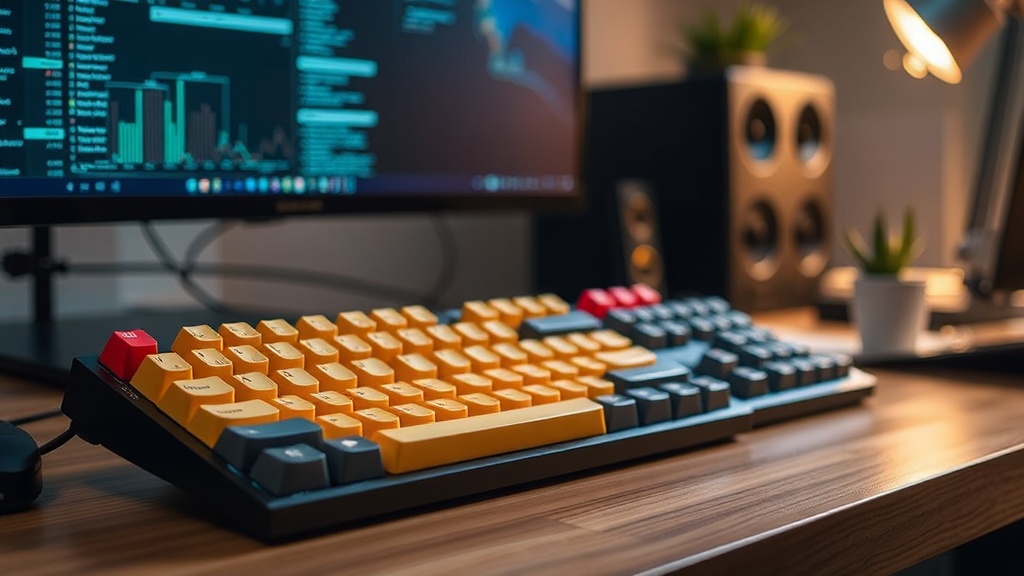
Mechanical Keyboards: Workplace Upgrade or Expensive Desk Decoration?

There's a persistent myth in modern offices that louder keyboards signal serious work. Spend ten minutes on tech Twitter and you'll encounter endless debates about switch actuation points, gasket mounts, and PBT keycaps—as if these specifications translate directly to professional output. They don't. For most knowledge workers, the mechanical keyboard represents a triumph of marketing over substance, a hobby disguised as productivity infrastructure. Before you drop $150 on a 'professional' typing setup, let's examine what you're actually buying—and whether it solves any problem you genuinely have.
What Makes Mechanical Keyboards Different from Regular Ones?
At their core, mechanical keyboards use individual switches under each key—physical mechanisms with springs, metal contacts, and tactile feedback points. This contrasts with membrane keyboards (the $15 boards most offices buy in bulk), which use pressure pads and rubber domes. The difference in feel is immediate and undeniable. Mechanical switches provide consistent actuation force, a defined 'bump' when the key registers, and that satisfying click that enthusiasts crave.
But here's where marketing blurs reality. Those switches—whether Cherry MX, Gateron, or Kailh—add cost and complexity without necessarily adding value for standard office tasks. You're paying for individual components that can cost $1-5 per switch, plus the circuitry to support them. A quality membrane keyboard costs $20-40 to manufacture; a mechanical equivalent runs $80-300. The question isn't whether they feel different—they do. The question is whether that difference translates to better work output.
The enthusiast community (and there's a massive one online) will tell you about 'tactile feedback' and 'reduced finger fatigue.' What they rarely mention is the learning curve. If you've typed on membrane keyboards for years, switching to mechanical requires retraining your muscle memory. That 60 words-per-minute speed you developed? Expect it to drop initially as you adjust to shorter travel distances and different actuation points. For most email-and-spreadsheet workers, this adjustment period creates frustration without commensurate gains.
Do Mechanical Keyboards Actually Improve Typing Speed?
The speed claims surrounding mechanical keyboards border on mythology. Proponents suggest that tactile feedback and optimized actuation points let fingers move faster with fewer errors. The reality—backed by actual typing studies—is more nuanced. A comprehensive analysis by Rtings' keyboard testing division found that while mechanical switches offer consistency, they don't automatically increase typing speed for trained typists.
What actually improves speed? Practice. Lots of it. Touch typing skill, familiarity with your specific keyboard's layout, and ergonomic positioning matter far more than switch type. A skilled typist on a well-worn membrane keyboard will destroy a novice on a $400 custom mechanical board. The switch type might contribute 5-10% to speed optimization—but only after weeks of adaptation. For the average worker processing invoices or drafting reports, that marginal gain doesn't justify the price premium or the disruption to established workflows.
There's also the error rate consideration. Mechanical keyboards register keystrokes at different points in the keypress—some at the halfway point, some at the bottom. This can actually increase typos for heavy-handed typists who rest their fingers on keys. The 'chatter' phenomenon (where switches register double inputs) plagues even premium boards. Meanwhile, that membrane keyboard from 2018? It probably still works exactly as it did on day one, typos and all.
Are Mechanical Keyboards Worth the Price for Office Work?
Let's talk numbers because—as any logistics professional knows—cost-benefit analysis cuts through hype faster than any review. A decent entry-level mechanical keyboard costs $80-120. Mid-tier options run $150-250. Premium boards with aluminum cases and custom keycaps easily exceed $300. Compare this to a competent membrane keyboard at $25-40, or a quality scissor-switch board (like Apple's Magic Keyboard) at $80-100.
The durability argument doesn't hold up under scrutiny either. Mechanical keyboard fans tout '50 million keystroke' ratings for Cherry MX switches. What they omit is that membrane keyboards typically last 5-10 years under normal office use—and by the time they wear out, you're probably replacing the computer anyway. That mechanical keyboard might outlast your career, but you'll likely replace it long before then because the USB-C port wears out, or you spill coffee on it, or you get drawn into the upgrade cycle of 'better' switches.
Then there's the hidden cost: the community. Once you buy that first mechanical keyboard, you're exposed to a world of customization. Keycap sets ($50-150), switch lubricants, o-rings for sound dampening, wrist rests, cable replacements. It's not uncommon for enthusiasts to spend $500+ chasing the 'endgame' board—the one that feels perfect. That perfect board doesn't exist, which is why enthusiasts own five, ten, or twenty keyboards. For office productivity, this isn't equipment—it's collecting with extra steps.
When Does a Mechanical Keyboard Actually Make Sense?
None of this suggests mechanical keyboards are worthless. For specific use cases, they're genuinely superior. Programmers who spend eight hours daily in text editors often benefit from the consistent feel and programmability. Writers with specific ergonomic needs might find the switch variety helps with finger strain. Data entry specialists who type continuously can justify the investment through reduced fatigue over thousands of hours.
The key is honest assessment of your actual workflow. Do you type for hours uninterrupted? Do you have specific ergonomic requirements that membrane boards don't address? Are you willing to endure a two-week adjustment period for marginal long-term gains? If you're answering yes to these questions, a mechanical keyboard might earn its keep. Check resources like Cherry's official switch specifications to understand the technical differences without marketing fluff.
For everyone else—the email checkers, the spreadsheet navigators, the occasional document drafters—that money is better spent elsewhere. A better monitor. An ergonomic chair. Actual training to improve your typing technique. The mechanical keyboard won't hurt your productivity (unless you get obsessed with customizing it), but it won't help nearly as much as the Reddit threads suggest. Sometimes the best tech purchase is the one you don't make—the realization that your current setup already handles everything you actually need to do.
Frequently Asked Questions
What's the quietest mechanical keyboard switch for an open office?
Silent Red or Brown switches with O-rings installed produce noise levels comparable to membrane keyboards, though they'll never be truly silent. Avoid Blue switches entirely—they're designed to be audible.
Can I try a mechanical keyboard without spending $100+?
Yes—brands like Keychron and Royal Kludge offer entry-level mechanical boards for $40-60. They're perfect for testing whether you actually prefer the feel before investing in premium options.
Do mechanical keyboards reduce wrist pain or carpal tunnel symptoms?
Not inherently. Ergonomic positioning (keyboard height, wrist angle, and break frequency) matters more than switch type. Some find lighter switches reduce finger strain, but medical evidence specifically favoring mechanical over membrane for injury prevention remains limited.