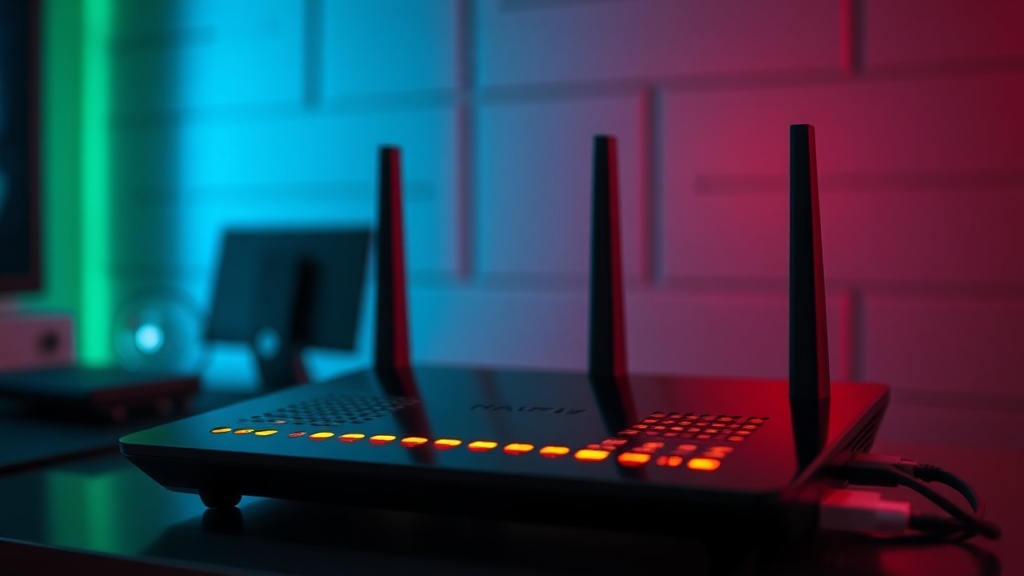
Is Your Wi-Fi Router Actually Delivering the Speeds You Pay For?

Why does your internet feel like a brick even though you're paying for a high-speed tier? This isn't just about your ISP's service; it's about the hardware sitting in your living room. Most people buy a router based on a shiny box and a marketing claim of "up to 5Gbps," but they don't realize that the bottleneck is often the way that signal travels through walls, interference, and outdated protocols. This guide looks at how to verify if your hardware is actually doing its job or if it's just an expensive paperweight.
Can a Better Router Actually Improve My Real-World Speed?
The short answer is yes, but not for the reasons the advertisements tell you. It isn't just about raw bandwidth; it's about latency and congestion management. If you have twenty devices in your house—phones, smart TVs, tablets, and those smart lightbulbs that nobody asked for—a cheap router will struggle to handle the simultaneous requests. You don't need more "speed" in the sense of a faster top end; you need a better way to manage the traffic.
When we talk about Wi-Fi 6 or Wi-Fi 6E, we aren't just talking about faster downloads. We're talking about OFDMA (Orthogonal Frequency Division Multiple Access). In plain English? It's the ability for the router to talk to multiple devices at once rather than making them wait in line. If you're still using an old Wi-Fi 5 router, your smart fridge might be taking up a slice of the bandwidth that your laptop needs for a video call. That's a real-world problem, not a theoretical one.
Before you go out and buy the newest model, you need to check your current performance. Use a tool like the Ookla Speedtest to see what you're actually getting near the router. If you're getting 90% of your promised speed while standing next to the device, but only 10% in the bedroom, the problem isn't your ISP—it's your signal penetration. You aren't lacking speed; you're lacking coverage.
Should You Use a Mesh System or a Single Powerful Router?
This is the most common question I get when people start looking at their tech-heavy homes. A single, high-powered router is great if you live in a small apartment or a single-story house. But if you have a two-story home with thick walls (or worse, plaster and lath), a single router—no matter how expensive—will eventually hit a wall. This is where Mesh systems come in.
A Mesh system uses multiple nodes to create a single, seamless network. Instead of one central hub trying to scream through three walls, you place nodes throughout the house to pass the signal along. However, don't fall into the trap of buying a 3-pack just because it sounds better. If the nodes are placed too far apart, they'll spend all their energy trying to talk to each other instead of talking to your devices. You'll end up with a "slow" network because the nodes are struggling to maintain a link.
- Single Router: Best for small spaces and minimal interference.
- Mesh Systems: Best for large homes and multi-story layouts where dead zones are a problem.
- Access Points: Best if you have professional-grade wiring (Ethernet) in your walls already.
If you have Ethernet ports in your walls, don't bother with a wireless mesh. Use a wired Access Point. It's more stable, it's more reliable, and it doesn't add more wireless noise to your environment. It's the difference between a well-organized warehouse and a chaotic pile of boxes.
Does 5GHz or 6GHz Really Matter for My Daily Use?
Most people think of 2.4GHz and 5GHz as just "slow" and "fast." While that's a decent rule of thumb, it's a simplification. 2.4GHz is like a heavy truck—it's slow, but it can carry a lot of weight through obstacles. It penetrates walls much better than the higher frequencies. 5GHz and s-called 6GHz (Wi-Fi 6E/7) are like sports cars—they are incredibly fast, but they can't handle a single brick wall without losing speed.
If you're a gamer or someone who works from home and relies on stable video calls, you want to be on the 5GHz or 6GHz band. The problem is that these higher frequencies are incredibly sensitive to interference. A microwave, a neighbor's router, or even a baby monitor can disrupt a 5GHz signal. If your connection keeps dropping, it might not be a bad router; it might just be a crowded frequency.
| Frequency | Range | Speed | Best For |
|---|---|---|---|
| 2.4 GHz | Long | Low | Smart home sensors, basic browsing |
| 5 GHz | Medium | High | Gaming, 4K Streaming, Video Calls |
| 6 GHz | Short | Extreme | High-end gaming, low-latency environments |
To truly understand what's happening in your home, look at the Wi-Fi Analyzer tools available for mobile. They show you the "invisible" traffic around you. You might find that your "slow" internet is actually just a massive amount of interference from a neighbor's router sitting on the exact same channel as yours. Changing your channel can often do more for your speed than buying a $400 upgrade.
The bottom line? Don't buy more speed if you don't have the coverage to support it. If your Wi-Fi is bad, check your placement first. Move the router out of the cabinet, get it off the floor, and away from other electronics. A router sitting on the floor behind a TV is a recipe for a bad experience. It's not about the specs on the box; it's about how the signal actually moves through your specific living space.