Hotel Wi-Fi Login Loops in 2026: The 15-Minute Field Playbook That Actually Works

Hotel Wi-Fi Login Loops in 2026: The 15-Minute Field Playbook That Actually Works
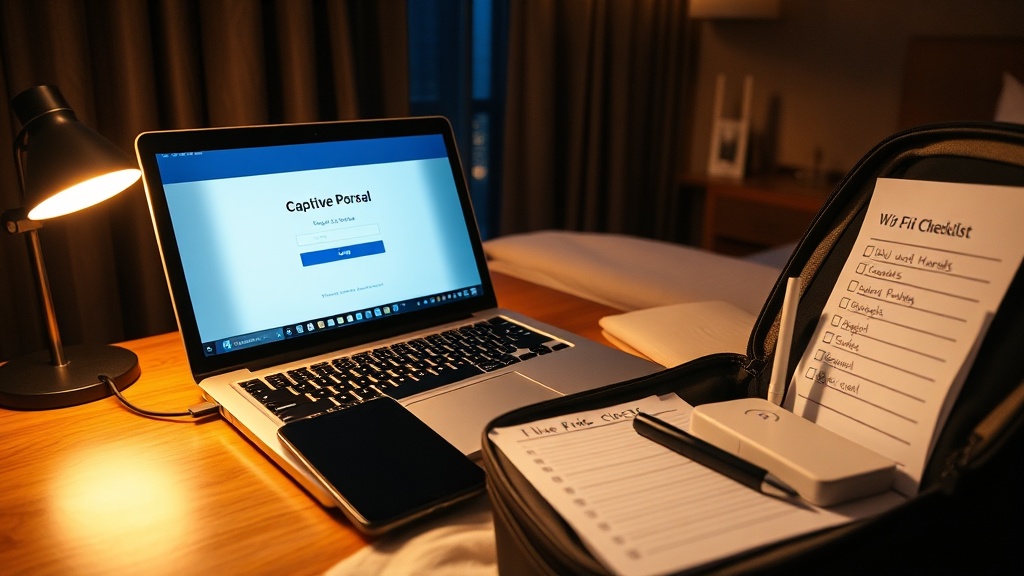
I spent twelve years dealing with warehouse Wi-Fi that failed at exactly the wrong moment: during shift change, during peak outbound, during the one hour when nobody had time for troubleshooting theater.
Hotel Wi-Fi has the same pathology. You are connected, but not online. The login page flashes and disappears. Slack says offline. VPN refuses to connect. The front desk tells you to "forget the network and try again," which works about 20% of the time.
So here is the no-hype version: a 15-minute triage flow you can run from your room or a job site trailer. No heroics, no vague advice, no magical thinking.
What is actually breaking
Most hotel and public Wi-Fi systems still use a captive portal: you join Wi-Fi first, then authenticate through a web page. Apple, Google, Microsoft, and the IETF all document pieces of this flow.
The weak link is not usually signal strength. It is the handoff between:
- your device privacy/security settings
- DNS behavior
- the portal's redirect logic
- browser handling of that redirect
That is why "bars look full" and you still get nowhere.
The 15-minute recovery sequence
Run these in order. Don’t skip ahead.
Minute 0-2: Confirm it is a portal problem, not total outage
- Join the hotel SSID.
- Open a browser and load
http://neverssl.com(plain HTTP on purpose). - If you see a hotel sign-in page, complete login and test normal sites.
- If you get a timeout, certificate warning loop, or instant redirect failure, continue.
Why this works: captive portals intercept HTTP traffic first. HTTPS-heavy browsing can mask the portal handshake and trap you in a loop.
Minute 2-5: Remove the three common blockers
- Pause VPN temporarily.
- Disable Private DNS / encrypted DNS temporarily.
- Turn off random/private MAC for this SSID if your device allows it.
Reconnect and retry http://neverssl.com.
Practical reality: privacy features are good default hygiene on trusted networks. On flaky captive portals, they are often the exact reason sign-in breaks.
Minute 5-8: Platform-specific fixes
iPhone / iPad
Settings > Wi-Fi > (i) next to network- Confirm Auto-Join is ON.
- Toggle Auto-Login OFF then ON.
- If the login page was canceled, rejoin the network from Wi-Fi settings.
Apple's own support flow confirms that canceling on the portal screen can disassociate you from the network and that Auto-Join/Auto-Login settings control reconnect behavior.
Android
Settings > Network & internet > Private DNS- Set to Off or Automatic for sign-in test.
- Rejoin Wi-Fi and retry the portal.
Google's support docs note Private DNS is on by default where supported. Great for normal browsing, but it can interfere on certain captive networks.
Windows 11
Settings > Network & internet > Wi-Fi > Manage known networks > [SSID]- Toggle Random hardware addresses OFF for that network.
- Reconnect and retry.
Microsoft documents random hardware addresses as a configurable feature. In the real world, some captive portals tie session state to MAC behavior and get confused when identifiers rotate.
macOS / laptops generally
- Forget and rejoin network.
- Disable VPN and custom DNS temporarily.
- Retry with a clean browser tab to
http://neverssl.com.
Minute 8-12: Clear session state mismatch
If you still cannot pass the portal:
- Reboot Wi-Fi only (toggle Wi-Fi off/on, not full device reboot yet).
- Forget network, rejoin, and complete portal in a single browser session.
- Do not open mail/chat apps until login completes.
Reason: apps that immediately fire encrypted requests can race the portal flow and re-trigger redirect loops.
Minute 12-15: Escalate intelligently
Go to the front desk or IT contact with this exact ask:
- "Please clear my captive portal session for device MAC ending in
XX:XXand reauthorize this room." - "Confirm max-device limit on my room profile."
- "Confirm DNS/portal service is up on this floor AP."
Most staff can do this quickly if you give precise language. "Internet is broken" sends you into generic scripts.
When to stop fighting hotel Wi-Fi
If you hit 15 minutes and still fail, switch transport. Your time is worth more than the troubleshooting loop.
Use one of these:
- Phone hotspot with strong signal.
- Travel router with known-good config (if you carry one).
- Tethered connection for critical upload/deadline tasks.
I covered travel router selection in this morning's buying guide, but the key operational point is this: preconfigured fallback beats ad-hoc debugging every time.
The field checklist (copy this)
- Join SSID and test
http://neverssl.com - Pause VPN
- Disable Private DNS / encrypted DNS temporarily
- Disable random/private MAC for this SSID
- Rejoin network and retry portal
- Run OS-specific steps
- Clear session by forget/rejoin
- Ask front desk to clear captive portal session + confirm device limit
- Switch to hotspot/travel router after 15 minutes
Security baseline after you get online
Once login works:
- Re-enable VPN.
- Re-enable Private DNS/encrypted DNS where practical.
- Turn random/private MAC back on for networks that handle it correctly.
- Avoid sensitive admin actions on public Wi-Fi when you can delay them.
You are not choosing between security and usability forever. You are temporarily relaxing controls to pass a brittle login gate, then restoring controls immediately.
So what
Most public Wi-Fi failures are not mysterious. They are old captive portal infrastructure colliding with newer client-side privacy defaults.
That mismatch will persist for a while. Standards exist (IETF CAPPORT), but real deployment is uneven.
Treat hotel Wi-Fi like a loading dock door in winter: assume it might stick, carry a procedure, and have a backup route before you need one.
Sources
- Apple Support: https://support.apple.com/en-us/102554
- Microsoft Support: https://support.microsoft.com/en-us/windows/connect-to-a-wi-fi-network-in-windows-1f881677-b569-0cd5-010d-e3cd3579d263
- Google Android Help: https://support.google.com/android/answer/9654714?hl=en
- IETF RFC 8952 (Captive Portal Architecture): https://datatracker.ietf.org/doc/rfc8952/