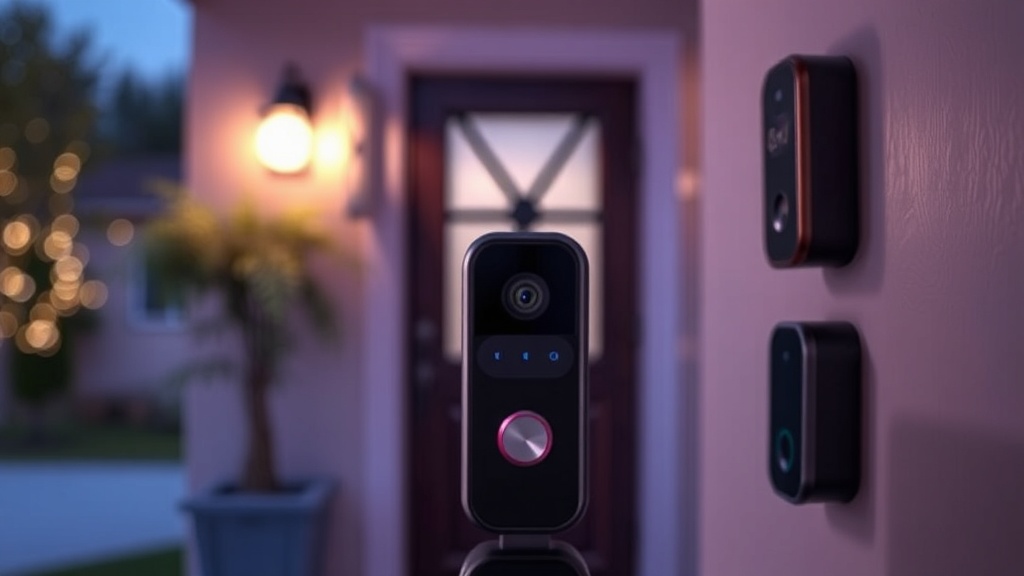
Do You Really Need 2K Video? A Smarter Approach to Choosing Video Doorbells

Why More Megapixels Won't Stop Porch Pirates
Walk into any big-box store and you'll see video doorbells promising crystal-clear 2K resolution, AI-powered person detection, and facial recognition that could identify your cousin from 50 feet away. The marketing screams "cutting-edge security" — but here's what nobody tells you: that gorgeous footage won't matter if your WiFi drops when it matters most, or if you're paying $12 a month for features you'll never use. I've spent years watching warehouse security systems actually function under pressure, and the lessons apply directly to your front porch. Most buyers focus on specs that look impressive in product photos while ignoring the practical realities that determine whether your doorbell catches the thief or just records your frustration.
The video doorbell market has exploded into a $2.8 billion industry (per Grand View Research), with dozens of players fighting for your attention. Ring still dominates name recognition thanks to Amazon's marketing machine, but competitors like Eufy, Arlo, Wyze, and Google Nest offer compelling alternatives — each with tradeoffs that matter more than camera resolution. This guide cuts through the specification theater and focuses on what actually keeps your packages safe and your sanity intact.
What Video Quality Do You Actually Need for Home Security?
Let's talk resolution honestly. 1080p — that's 1920×1080 pixels — captures enough detail to identify faces, read license plates at close range, and distinguish between a delivery driver and someone casing your property. The jump to 2K (roughly 2560×1440) adds clarity, sure, but here's the catch: it demands significantly more bandwidth and storage without providing proportionally better security outcomes. Your internet upload speed becomes the bottleneck — most doorbells need 2-4 Mbps upload minimum for 1080p, but 2K can require 4-8 Mbps. If your connection stutters during that crucial moment, you get buffering instead of evidence.
Night vision quality matters more than daytime resolution anyway. Look for doorbells with infrared LEDs (most have them) but pay attention to the sensor size — larger sensors capture more light, producing clearer images in darkness. Some newer models offer color night vision through supplemental spotlights, which genuinely helps identify clothing colors and vehicle details that monochrome footage misses. HDR (High Dynamic Range) handles the harsh contrast when someone's backlit by the afternoon sun — a common scenario that washes out faces on cheaper cameras. These features contribute more to usable footage than extra pixels ever will.
Field of view deserves more attention than it gets. A 160-degree horizontal view captures your entire porch plus approaching walkways — anything narrower leaves blind spots. Vertical field of view matters too; you want to see packages left directly below the camera, not just faces at eye level. Some manufacturers now offer aspect ratios taller than standard 16:9 specifically for this purpose. The Consumer Reports buying guide consistently finds that field of view and low-light performance correlate more strongly with owner satisfaction than resolution alone.
Are Subscription Fees Avoidable with Today's Video Doorbells?
Here's where the math gets painful. Ring charges $3.99 monthly (or $39.99 yearly) per device for video history beyond live viewing. Google Nest demands $6 monthly minimum. Arlo wants $4.99. These subscriptions unlock the fundamental value of a video doorbell — the ability to review what happened while you were away. Without them, you're essentially buying a very expensive digital peephole. Over five years, that $4 monthly fee becomes $240 — often exceeding the hardware cost itself.
But alternatives exist. Eufy's lineup stores footage locally on a HomeBase hub or internal memory, completely bypassing subscription requirements. Wyze offers microSD card slots for local recording alongside their optional cloud plans. Even Ring recently added "Local Video Download" for some models — though it's clunky compared to native local storage. The tradeoff? You're responsible for backing up and managing that footage. If someone steals your doorbell (yes, it happens), an SD card goes with it unless you've implemented automatic transfers to network-attached storage.
Consider your actual needs honestly. Do you need 30 days of cloud-stored history, or would seven days suffice? Some providers offer tiered plans — Ring's Basic covers one device, while Plus covers unlimited devices at your location for $10 monthly. If you're running multiple cameras, that unlimited plan suddenly looks reasonable. Calculate your total cost of ownership over three to five years, not just the sticker price. A $200 doorbell with no subscription beats a $100 doorbell requiring $48 annually — but only if the hardware performs reliably.
Does Your WiFi Actually Support a Video Doorbell?
This section could save you hours of headaches. Video doorbells are WiFi-hungry devices positioned at the edge of your network's range — literally on the other side of walls, insulation, and sometimes metal doors. Before buying anything, test your signal strength at the installation location. Your phone's WiFi indicator gives a rough idea, but dedicated apps like WiFi Analyzer provide actual dBm readings. Anything weaker than -70 dBm will cause problems — dropped connections, delayed notifications, and footage that never records.
Interference compounds the issue. Most doorbells operate on 2.4GHz networks for range (some support 5GHz for speed but sacrifice distance). That frequency band is crowded — neighboring WiFi networks, baby monitors, Bluetooth devices, and microwaves all compete for airspace. If you live in an apartment or dense neighborhood, 2.4GHz congestion can cripple performance regardless of your internet speed. Mesh WiFi systems or dedicated access points near your front door solve this, but that's another expense to factor in.
Power requirements vary dramatically. Battery-powered models install anywhere but demand recharging every 2-6 months depending on activity levels and temperature. Wired models (either existing doorbell wiring or USB-C power) provide continuous operation without maintenance but require installation comfort — or hiring an electrician. Some hybrids offer both: wired for primary power with battery backup during outages. Consider your climate too; lithium batteries drain faster in freezing temperatures. If you're in Minnesota, a purely battery-powered doorbell might quit during the winter months when you need it most.
Which Smart Home Ecosystem Should Your Doorbell Actually Join?
Integration decisions lock you into ecosystems longer than most marriages. Ring plays nicest with Amazon Alexa — notifications on Echo devices, live feeds on Fire TVs, and voice responses through Alexa's drop-in feature. Google Nest Hello obviously favors Google Home, though it works with Alexa too. Apple's HomeKit Secure Video options remain limited (Logitech Circle View and some Netatmo models) but offer encrypted storage and Siri integration that privacy-conscious users appreciate.
Don't underestimate notification fatigue. A doorbell that dings your phone for every passing car, swaying branch, or curious squirrel becomes background noise you ignore. Look for adjustable motion zones — the ability to draw specific areas on your camera's view that trigger alerts while ignoring the sidewalk beyond. Person detection (versus general motion detection) filters out 90% of false positives, though AI features usually require subscriptions. Package detection — distinguishing between general movement and specifically a delivered box — is genuinely useful for online shoppers, but implementation varies wildly between brands.
Two-way audio quality surprises many first-time buyers. Cheap microphones produce garbled, delayed conversations that frustrate visitors and make you sound like you're shouting from a tunnel. Test this feature in reviews or stores if possible. Pre-recorded quick responses ("Leave the package by the door, please") save repeated explanations and work even when you can't answer live. Geofencing — automatically adjusting settings based on your phone's location — prevents your own arrival from triggering unnecessary recordings.
What About Privacy and Data Security Concerns?
Your video doorbell watches everything — visitors, neighbors, delivery routes, daily routines. That data becomes valuable, and not just to you. Ring's partnerships with over 2,000 police departments (detailed in EFF's privacy analysis) raised legitimate concerns about surveillance networks and warrantless data sharing. While Ring has added more user controls following backlash, the fundamental tension remains: cloud-stored footage is accessible to the company storing it, often under terms you accepted without reading.
Local storage models eliminate third-party access but place security responsibility squarely on you. Encrypt your WiFi network (WPA3 if your router supports it, WPA2 minimum). Enable two-factor authentication on any associated accounts — credential stuffing attacks against doorbell services are common. Review your camera's field of view to ensure you're not accidentally recording neighbors' windows or private spaces, which creates legal liability in many jurisdictions. Some European countries have strict regulations about recording public spaces; even in the US, audio recording laws vary by state.
Physical security matters too. Doorbell theft is opportunistic — thieves grab devices to eliminate evidence or resell hardware. Most manufacturers offer replacement programs for stolen units, but you're still without coverage during the gap. Tamper alarms (loud sirens triggered by removal attempts) deter some criminals. Mounting height affects both theft risk and camera angle — higher placement is harder to reach but may miss package-level detail. Security screws (included with most quality units) slow down casual theft attempts.
The right video doorbell isn't the one with the flashiest spec sheet — it's the one that actually works reliably in your specific environment, integrates with your existing habits, and doesn't nickel-and-dime you into subscription exhaustion. Start with your WiFi situation and budget reality, then match features to genuine needs rather than marketing promises.