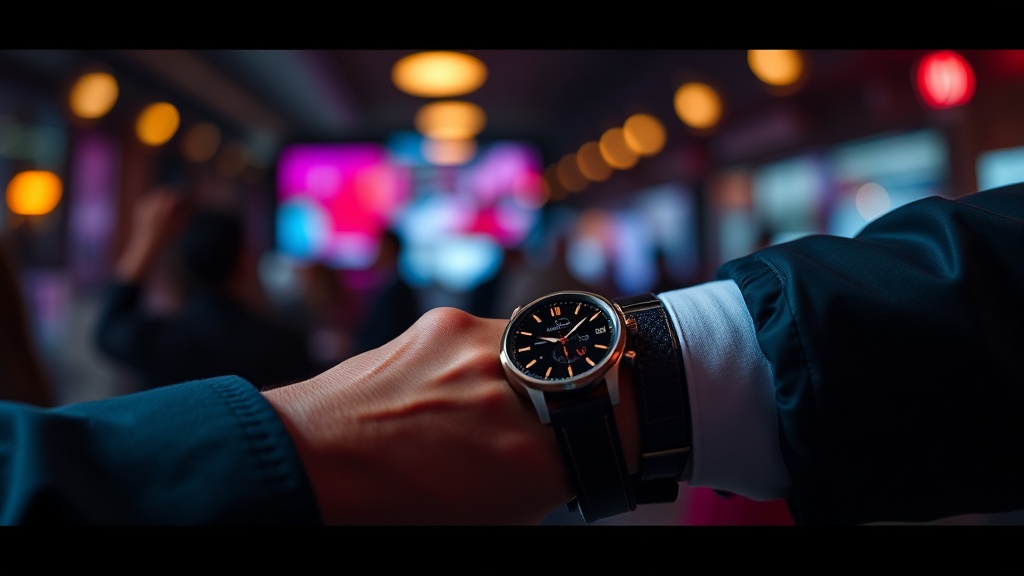
Do Smartwatches Actually Make You More Productive, Or Just More Distracted?

Your phone buzzes. You pull it out—check the notification, lose focus, and twenty minutes later you're deep in social media when you should've finished that report. Smartwatch companies promise this $300+ device on your wrist will solve that problem. But will it? Or does it just move the distraction closer to your face?
This isn't about fitness tracking (though that's nice). It's about whether strapping a mini-computer to your wrist actually helps you get work done—or if it's another piece of tech that feels productive while quietly killing your attention span. I've spent six months testing three different models during actual warehouse and office work, not just reading spec sheets. Here's what actually happens when you trade your analog watch for something that pings.
What Can a Smartwatch Actually Do for Your Workday?
The marketing materials show executives glancing at their wrists during important meetings, effortlessly dismissing unimportant messages while staying connected. The reality? It's more complicated—and sometimes less glamorous.
A decent smartwatch handles notifications without the phone-pull ritual. Emails, texts, calendar alerts—they all show up on your wrist. You can triage quickly: important stuff gets a response, junk gets dismissed with a swipe. During my warehouse shifts, this meant I could see if the boss needed me without fishing my phone out of my pocket while carrying inventory. That's genuinely useful.
Calendar integration works better than expected. Having your next meeting buzz your wrist ten minutes out beats discovering you've double-booked yourself. The haptic alerts are subtle enough that you won't disturb a conversation, but insistent enough that you won't miss them. For people who run on schedules—and that's most of us now—this alone justifies the device.
But here's the catch: notifications are a double-edged sword. Every app wants your attention, and they all default to "on." I spent my first week drowning in wrist buzzes for things I didn't care about—social media likes, news alerts, game updates. The setup process matters more than the hardware. If you don't spend twenty minutes curating which apps can reach your wrist, you'll hate the thing by day three.
Voice assistants on your wrist sound futuristic. In practice? They're finicky. Background noise—forklifts, conversation, ventilation—confuses them. I've found myself repeating commands three times while standing in a warehouse aisle, feeling ridiculous. For quick tasks—setting timers, sending a "running late" text—it works. For anything complex, you'll pull your phone anyway.
Which Smartwatch Delivers Real Value Without the Bloat?
Not all smartwatches are created equal, and the price range—from $200 to $800+—doesn't always correlate with usefulness. Here's the practical breakdown.
Apple Watch Series 9/SE: If you're already in the Apple ecosystem, this is the obvious choice. The integration is seamless—replying to messages, controlling HomeKit devices, using Apple Pay without pulling your phone. Battery life is the weakness: expect daily charging. For office workers who charge devices overnight anyway, that's fine. For field crews working twelve-hour shifts, it's a problem.
Samsung Galaxy Watch6: The Android equivalent. Better battery life than Apple—roughly two days with normal use. The rotating bezel for navigation is genuinely superior to touchscreen-only interfaces, especially when your hands are dirty or you're wearing gloves. Samsung's health tracking is comprehensive, though most of those metrics matter more to runners than logistics workers.
Garmin Fenix/Venu: These are the workhorses. Week-long battery life, rugged construction, GPS that actually works offline. The trade-off? They're sports watches first, smartwatches second. Notifications work, but the apps and third-party integration lag behind Apple and Samsung. If your job involves being outdoors, on your feet, or away from chargers—construction, delivery, field service—Garmin makes more sense than the sleek city options.
Amazfit/Cheap Android Wearables: Budget options around $100-150. They tell time, show notifications, track steps. The screens are dimmer, the haptics weaker, the apps limited. But they work. If you're curious whether a smartwatch fits your workflow but don't want to drop half a paycheck finding out, start here. You can always upgrade if the concept proves useful.
Where Do Smartwatches Fall Flat in Real Work?
For all their convenience, these devices have genuine limitations that don't show up in marketing photos.
Typing on a watch screen is terrible. Voice dictation helps, but it's not private and it's not always accurate. You can't write a detailed email response—you can only acknowledge, dismiss, or send short pre-written replies. Anything requiring nuance still needs your phone or laptop. The smartwatch is a triage tool, not a replacement.
Battery anxiety is real. Forget your charger on a business trip and you've got a very expensive analog watch by day two. Some models (looking at you, Apple) barely make it through a day with heavy use. That nightly charging ritual becomes another thing to remember, another cable to pack, another point of failure.
The distraction problem doesn't disappear—it just changes form. Instead of pulling your phone, you glance at your wrist. In meetings, this looks like checking the time, which is socially acceptable. But do it twenty times an hour and you're still not paying attention. The device doesn't fix your focus issues; it just makes them less obvious to others.
Privacy concerns linger. Your watch knows when you sleep, where you go, who you talk to. That data sits on company servers—Apple's, Google's, Samsung's. For most people, the trade-off is worth the convenience. But if you work in sensitive industries, or just value your privacy, workplace surveillance via wearables is a growing concern.
The Underrated Features Nobody Talks About
Beyond notifications and fitness, a few genuinely useful features hide in these devices.
Find My Phone. Press a button on your watch, your phone beeps. Sounds trivial until you're late for a meeting and your phone has vanished into couch cushions or a jacket pocket. I've used this feature weekly.
Silent alarms. Wake up without disturbing your partner. The watch vibrates on your wrist—enough to rouse you, not enough to wake the whole house. For shift workers with irregular schedules, this is invaluable.
Two-factor authentication. Some services let you approve logins from your watch. Faster than typing codes, more secure than SMS. Small thing, but it adds up over dozens of daily logins.
Apple Pay / Google Pay on your wrist. Hold your wrist to the terminal, done. No fumbling for wallet, no pulling out phone. In the era of contactless everything, this feels genuinely futuristic—and it's faster than chip cards.
Should You Actually Buy One, Or Is Your Phone Enough?
Here's the honest answer: it depends on how you work.
If you're constantly in meetings, running between appointments, or need to stay reachable without being rude—yes. The ability to see what's urgent without the phone-distraction trap is genuinely useful. Calendar management on your wrist saves mental overhead. Quick replies handle the "received, will respond later" communications.
If you work with your hands—construction, manufacturing, logistics—the equation changes. You'll need a rugged case or a rugged watch. Touchscreens don't work well with dirty or gloved fingers. Battery life matters more than apps. Consider Garmin's work-focused lines or skip the smartwatch entirely for a durable traditional watch that won't crack when you bump it against steel.
If you're mostly desk-bound, already disciplined with your phone, and don't have calendar chaos—the smartwatch becomes a nice-to-have, not a need-to-have. The productivity gains are marginal. The distraction risks are real. Your phone already does everything the watch does; the watch just puts it on your wrist.
The real test: try disabling most notifications on your phone for a week. If that improved your focus, a smartwatch (properly configured) will help. If you just felt anxious about missing things, a watch won't fix that—it'll just buzz more often.
Before buying, ask yourself what specific problem you're solving. "Being more productive" isn't specific. "Checking my phone less during meetings" is. "Not missing urgent texts while my phone is in my pocket" is. "Tracking my steps to hit insurance wellness discounts" is. Buy for the specific use case, not the vague promise of optimization.
And start cheap if you're unsure. A $150 Amazfit GTR will tell you whether the form factor works for your life. If it does, upgrade to the premium model that fits your ecosystem. If it doesn't, you're not out $400 for a drawer ornament. The technology isn't magic—it's just another tool. Whether it helps or hinders depends entirely on whether it solves a problem you actually have.