Building a High-Fidelity Audio System for Your Home Office

A project manager sits in a corner office in downtown Chicago, staring at a spreadsheet. A notification pings on his laptop—a high-priority Slack message. He clicks the audio icon, but all he hears is a tinny, compressed voice that sounds like it's coming from a walkie-talkie underwater. He misses the nuance of the client's tone, misinterprets a hesitation as a "no," and the deal falls through. This isn't a failure of communication; it's a failure of hardware. This guide breaks down how to build a high-fidelity audio system for your home office so that your digital presence is as clear as your professional reputation.
High-fidelity (Hi-Fi) audio in a home office isn't just about listening to music during deep work sessions. It is about acoustic clarity for video conferencing, the elimination of listener fatigue during long calls, and the ability to hear the subtle cues in a client's voice. We are moving away from the "good enough" era of built-in laptop speakers and cheap plastic headsets toward a structured ecosystem of dedicated hardware. We will cover the three pillars of an office audio setup: input (microphones), output (speakers and headphones), and the digital-to-analog conversion (DAC) that connects them.
The Input: Why Your Built-in Microphone is Failing You
Most people treat the microphone as an afterthought, often relying on the integrated mic in a webcam or a laptop. This is a mistake. Integrated microphones are designed to pick up everything in the room—the hum of your air conditioner, the click of your mechanical keyboard, and the distant siren on the street. To achieve professional-grade clarity, you need a dedicated input device that prioritizes your voice while rejecting ambient noise.
The USB Condenser Microphone
For most home office users, a USB condenser microphone is the most efficient path. These devices are "plug-and-play," meaning they have a built-in interface that handles the conversion from analog sound to digital data. A reliable workhorse is the Blue Yeti or the Audio-Technica AT2020USB+. These microphones use a large-diaphragm capsule to capture a wider frequency range, making your voice sound full and natural rather than thin and robotic.
The "So What?" Factor: If you are using a headset, you are often limited by the quality of the headset's inline mic. A standalone USB microphone allows you to position the source closer to your mouth, significantly improving the signal-to-noise ratio. This means your colleagues hear your words, not your background noise.
The XLR Alternative
If you want to move beyond consumer-grade gear, you enter the world of XLR microphones and audio interfaces. This requires an external device like the Focusrite Scarlett 2i2 to bridge the gap between the microphone and your computer. While this adds complexity, it offers much higher precision. A dynamic microphone like the Shure SM7B is the gold standard here; it is much better at ignoring room noise than a condenser mic, making it ideal if your office isn't acoustically treated.
The Output: Speakers vs. Headphones
Deciding between studio monitors (speakers) and high-end headphones depends entirely on your workspace density and your need for situational awareness. You cannot simply buy any pair of computer speakers and expect a "hi-fi" experience. You need gear designed for accuracy, not just volume.
Studio Monitors for Ambient Sound
If you have a dedicated office space and want to avoid the physical pressure of headphones during an eight-hour shift, studio monitors are the answer. Unlike consumer Bluetooth speakers, studio monitors are designed for a "flat" frequency response. This means they don't artificially boost the bass to make a song sound "exciting"; they play exactly what the recording intended.
- Entry-Level Precision: The PreSonus Eris E3.5 is a compact option for smaller desks that still provides a much more accurate soundstage than standard desktop speakers.
- Mid-Range Professional: The Yamaha HS5 is a staple in professional studios. They are incredibly honest—if your audio is clipping or poorly mixed, these speakers will tell you immediately.
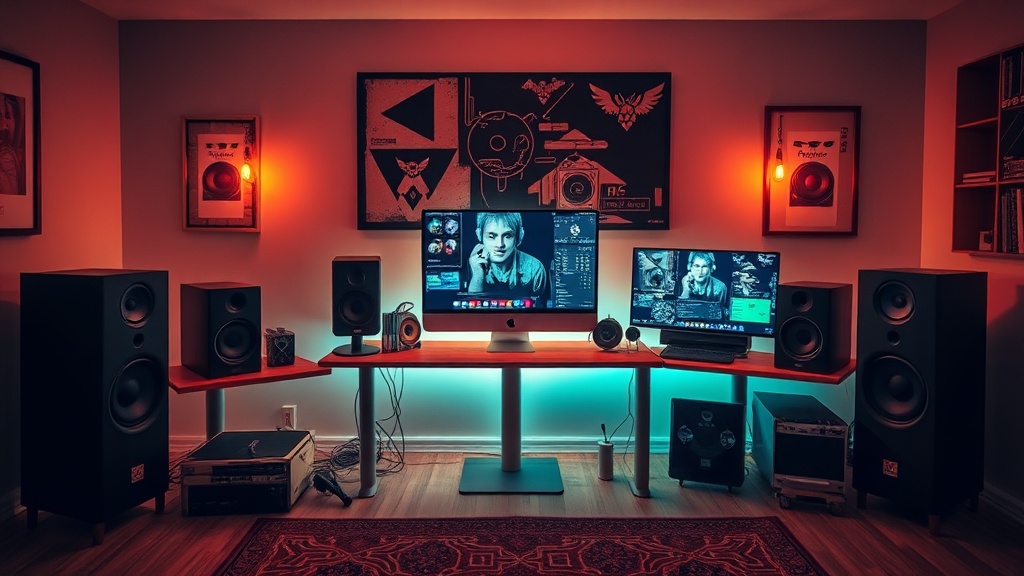
When setting up monitors, placement is everything. They should form an equilateral triangle with your head. If they are tucked behind a monitor or pushed against a wall, the low-end frequencies will become "muddy," defeating the purpose of high-fidelity gear.
High-Fidelity Headphones for Deep Focus
For many, the home office is a place of intense, isolated focus. In these cases, open-back headphones are superior to the closed-back models found in most gaming headsets. Open-back headphones allow air and sound to pass through the ear cups, which prevents the "pressure" feeling in your ears during long sessions. The Sennheiser HD600 is a legendary model in this category, offering a wide soundstage that makes it feel like the sound is happening around you, rather than inside your skull.
If you work in a noisy environment (like a shared living room), you will need Active Noise Cancellation (ANC). While many ANC headphones are optimized for travel, the Sony WH-1000XM5 provides excellent isolation that can help you enter a "flow state" by drowning out household distractions.
The Missing Link: The DAC and the Importance of Signal Chain
The most common mistake in building a high-fidelity system is ignoring the Digital-to-Analog Converter (DAC). Your computer's internal sound card is often a cheap, noisy component located right next to high-interference parts like the CPU and power supply. This results in a "hiss" or "static" in your audio. To get the best out of your expensive speakers or headphones, you must bypass the internal sound card.
External DACs and Audio Interfaces
A DAC takes the digital 1s and 0s from your computer and converts them into an electrical signal that your speakers or headphones can interpret. A dedicated DAC provides a much cleaner, more stable signal. For a streamlined setup, consider a desktop DAC/Amp combo like the FiiO K5 Pro. This device serves two purposes: it converts the signal with high precision and provides enough power (amplification) to drive high-impedance headphones that a standard laptop simply cannot power.
If you are already using an XLR microphone, your audio interface (like the Focusrite Scarlett mentioned earlier) acts as your DAC for both your input and output. This creates a unified, professional-grade signal chain that ensures the highest level of fidelity from the moment you speak to the moment your colleagues hear you.
Practical Implementation: The Checklist
Building this system doesn't happen all at once. It is an iterative process. If you are starting from scratch, do not buy everything at once. Follow this order of operations to ensure you are getting the best return on your investment:
- Prioritize the Input: Buy a dedicated USB microphone first. This provides the most immediate benefit to your professional communications.
- Solve the Output: Decide if you need isolation (headphones) or ambient sound (speakers). If you choose speakers, ensure you have the desk real estate for proper placement.
- Refine with a DAC: Once you have high-quality output devices, add a DAC to unlock their true potential and eliminate electronic noise.
A high-fidelity system is a tool, not a luxury. Just as a craftsman relies on a sharp blade, a digital professional relies on clear, accurate audio. By moving away from consumer-grade peripherals and toward dedicated, purpose-built hardware, you are investing in the clarity of your work and the quality of your professional interactions.